Error 0x8007232B 'DNS Name Does Not Exist' when Activating Windows 8
When you have a valid product key for Windows 8 Enterprise from MSDN, and setup doesn't prompt for this key during installation.
When you try to activate Windows 8, you receive an error message that resembles one of the following messages:
Windows could not be activated.
Key management services (KMS) host could not be located in domain name system (DNS), please have your system adminstrator verify that a KMS is published correctly in DNS.
Error: 0x8007232b
Description:
DNS name does not exist.
Cause:
- You are using volume-licensed media to install Windows 8
- The activation wizard cannot connect to a Key Management Service (KMS) host computer.
- If you use MSDN, TechNet, or MAPs, you likely have volume-licensed media, and you were likely given a Multiple Activation Key (MAK).
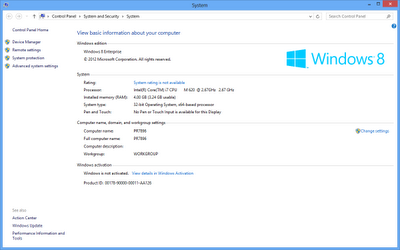
Open System properties and click 'View details in Windows Activation
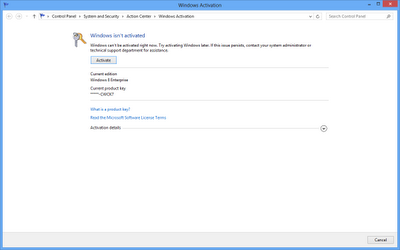
Click the 'Activate' button to begin activation
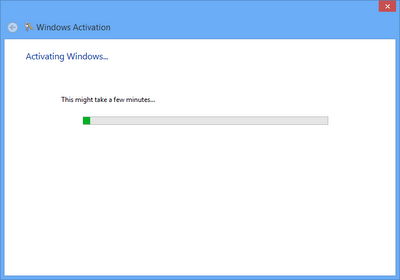
Attempting activation...
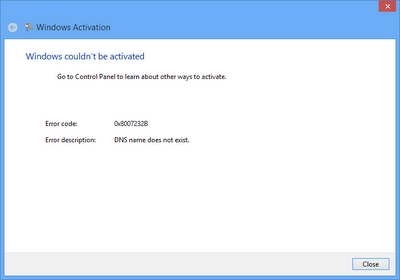
Error 0x8000232B - DNS name does not exist.
The same thing happens if you try to activate Windows 8 from the PC Settings | Activate Windows menu in the "modern user interface" (aka Metro):

Windows can't activate right now. Try activating Windows later. If the issue persists, contact your system administrator or technical support department for assistance.'
Here are the steps to perform activation with the correct product key after installation
- Open an elevated CMD prompt and run the following command, as shown below:
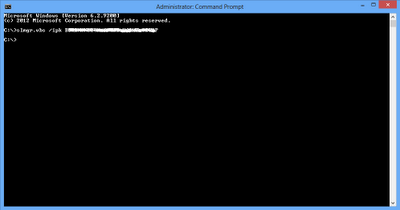
slmgr.vbs /ipk<product key> - You will receive a pop-up window from Windows Script Host indicating the product key has been installed successfully.
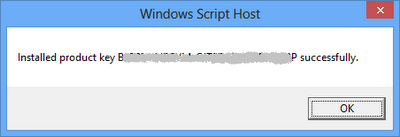
Installed product key <product key> successfully. - Shortly after that, Windows 8 will automatically activate over the Internet. Or, if you're impatient like me, just click theActivate button to activate windows immediately.

Windows is Activated
TKB:1090